
Best E Ink Tablets for Writing, Reading and Going Paperless
As an Amazon Associate I earn from qualifying purchases. Some links may earn us a commission at no extra cost to you.
Every e ink tablet here writes beautifully. What separates them is a design decision each maker took deliberately, and it is the thing to settle before you compare anything else. One camp builds a closed device that writes and reads and does nothing else, with no browser and no app store, because the absence of notifications is the product. The other camp runs full Android, so the same slab also opens Kindle, Chrome and your work apps, and replaces more of what you carry. Neither is better. They suit different people, and knowing which one you are saves a lot of money. After that the choices are smaller: whether the screen has a front light for reading in bed, and whether you want colour. So I score these on writing feel, screen quality, how much the device lets you do beyond writing, and value, and the picks are grouped by that first decision.
Top picks
Closed, focused and built for writing
reMarkable Paper Pro — Best overall
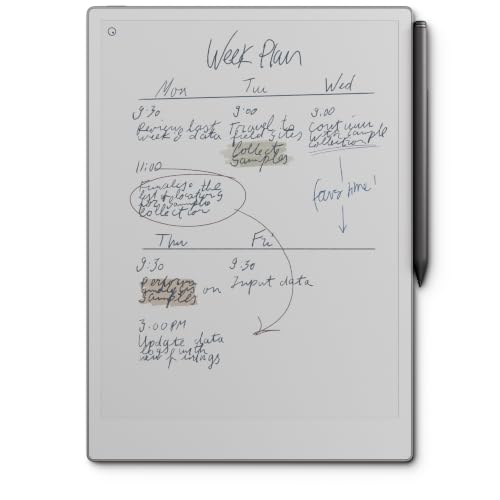
Why it wins: Eleven hundred ratings makes this much the most owned premium writing tablet here, and it is the one that put this category on the map. A colour e ink panel with a front light, paired with the closest thing to pen-on-paper drag that anyone has shipped, and nothing on the device competing for your attention.
Pros
- Largest review base of any premium e ink tablet in this search
- Colour e ink with a front light, so it works in a dim room
- Writing feel is the benchmark the rest of the category is measured against
- No apps or notifications, which is the entire point for a lot of buyers
Cons
- The most expensive way into the category
- Cloud sync beyond the basics sits behind a subscription
- Deliberately will not run third-party apps
Skip it if: you want one device that also handles Kindle and email, where the Android options fit better.
Scores: Writing feel 5/5 | Screen 5/5 | Does more than write 1/5 | Value 3/5
reMarkable Paper Pure — Best writing feel for less
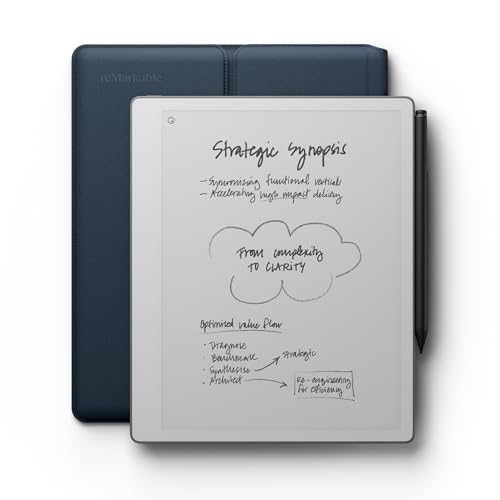
Why it wins: The same writing experience and the same distraction-free philosophy in a monochrome panel, which takes a large chunk off the price without touching the part people actually buy this for. Amazon lists it as a Choice product and it moves five hundred a month.
Pros
- Identical pen feel to the flagship at a lower outlay
- Thin and light enough to carry everywhere
- Marker Plus with its built-in eraser is included, and monochrome e ink renders plain text more crisply than colour panels
Cons
- No colour, so diagrams and highlights stay grey
- Smaller review base than the flagship
- Same closed system with no third-party apps
Skip it if: you mark up documents in colour, where the Pro earns its extra.
Scores: Writing feel 5/5 | Screen 4/5 | Does more than write 1/5 | Value 4/5
reMarkable Paper Pro Move — Most portable
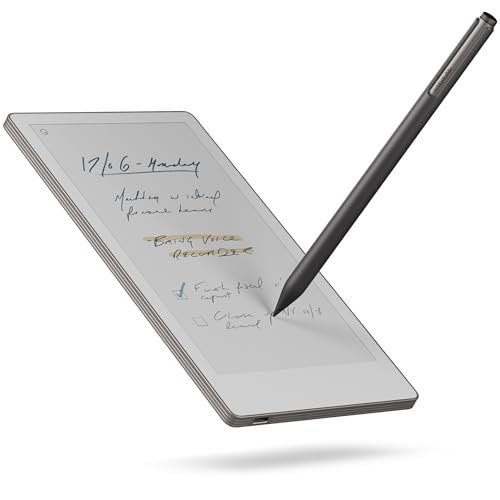
Why it wins: A genuinely pocketable version of the same idea, sized to go in a jacket rather than a bag, which changes how often a notebook actually gets used. Colour e ink and the Marker Plus are both included, so nothing about the writing experience is cut down.
Pros
- Small enough for a coat pocket, unlike every other tablet here
- Keeps colour e ink and the full writing feel
- Ideal as a capture device alongside a laptop
- Two hundred sold a month despite being a recent release
Cons
- Lowest average rating of the reMarkable line, with reviews pointing at the smaller writing area
- A small page suits lists and capture more than long-form work
Skip it if: you draft full pages by hand, where a larger panel is more comfortable.
Scores: Writing feel 4/5 | Screen 4/5 | Does more than write 1/5 | Value 3/5
Open Android, so it does more
BOOX Go Color 7 Gen II — Best pocketable all-rounder

Why it wins: A seven inch colour e ink tablet running full Android, which means it writes notes, opens the Kindle app, reads library books and browses the web on one screen that is easy on the eyes. Five hundred a month at the most approachable price of any colour e ink device here.
Pros
- Runs the Kindle app and any other Android app you install
- Colour e ink at the lowest outlay in this search
- Seven inch size fits a jacket pocket or a small bag
- Stylus support for annotating as well as reading
Cons
- Android on e ink refreshes more slowly than on an LCD tablet
- Smaller writing area than the ten inch tablets
- Software is more fiddly than the closed devices
Skip it if: you want a device that cannot distract you, where the reMarkables are the answer.
Scores: Writing feel 3/5 | Screen 4/5 | Does more than write 5/5 | Value 5/5
XPPen Magic Note Pad — Best larger colour screen for the money

Why it wins: Nearly eleven inches of colour paper-like display at a price close to the small devices, from a company that has built drawing tablets for years and knows pen hardware. The larger page is the difference between note capture and real work.
Pros
- Large colour display for noticeably less than the premium tablets
- XPPen’s pen hardware pedigree shows in the tracking
- Three-in-one design covers writing, reading and sketching
- Battery-free stylus with pressure sensitivity
Cons
- Newer to this category than the established e ink names
- Colour on paper-like panels stays muted by nature
Skip it if: you want the deepest track record in e ink specifically.
Scores: Writing feel 4/5 | Screen 4/5 | Does more than write 4/5 | Value 5/5
Best value in a full-size tablet
Huion Ink EB1011 — Most reviewed mid-price option
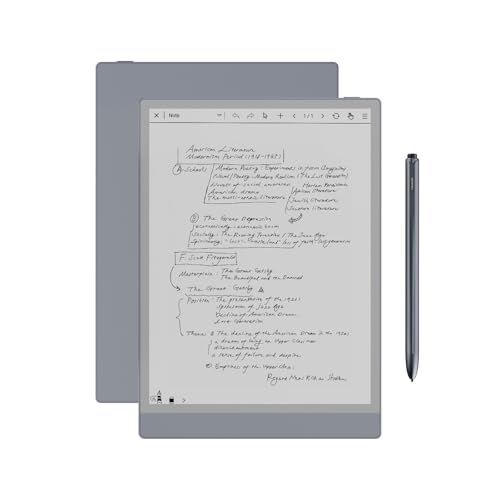
Why it wins: Seven hundred ratings is the deepest owner record of any mid-price tablet here, on a ten point three inch panel with a dual front light that adjusts warm and cool. Reading in bed without a lamp is the feature the cheaper tablets usually drop.
Pros
- Largest review base among the mid-price tablets
- Dual front light adjusts warm and cool for night reading
- Full-size ten point three inch writing area
- Battery-free pen, so nothing extra to charge
Cons
- Monochrome only
- Software is plainer than the premium devices
- Less polished sync than the closed systems
Skip it if: you want colour for marking up documents.
Scores: Writing feel 4/5 | Screen 4/5 | Does more than write 3/5 | Value 5/5
Penstar eNote 2 — Highest rated here
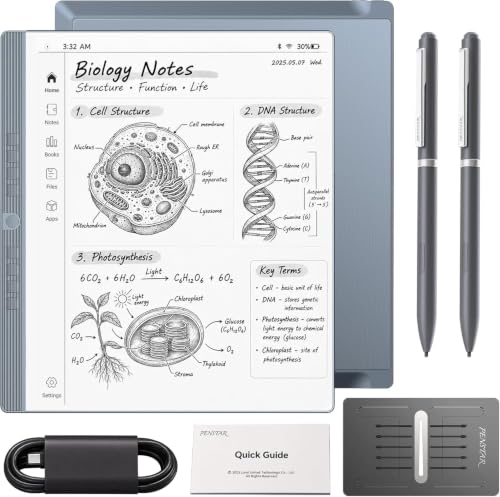
Why it wins: At 4.3 this holds the best average of any full-size e ink tablet in this search, on a ten point three inch device with handwriting-to-text conversion built in. Turning a page of scrawl into searchable text is the feature that makes handwritten notes genuinely useful later.
Pros
- Best average rating of the full-size tablets here
- Handwriting to text conversion included rather than as a subscription
- Full ten point three inch writing area
- Pen included in the box
Cons
- Modest review base compared with the established brands
- Monochrome screen only
Skip it if: you want a long track record behind the brand.
Scores: Writing feel 4/5 | Screen 4/5 | Does more than write 3/5 | Value 4/5
Cheapest route to digital notes
XPPen Note Plus Smart Notebook — Best under a hundred
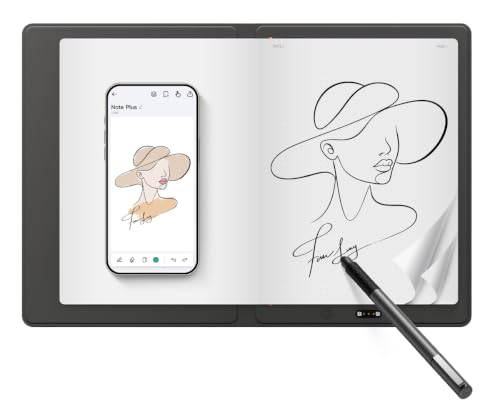
Why it wins: Eighteen hundred ratings at 4.3, the largest review base on this page by a wide margin. This one works differently and that is worth knowing: you write on real paper with a smart pen, and the strokes sync to your phone. There is no screen, which is exactly why it costs a fraction of everything above.
Pros
- By far the largest owner base of anything in this roundup
- Real paper and real ink, so the writing feel needs no compromise
- Syncs handwritten pages to your phone in real time
- Costs a small fraction of a true e ink tablet
Cons
- No screen, so you cannot read ebooks or review notes on the device
- Paper refills are an ongoing cost
- Reviewing notes means picking up your phone
Skip it if: you want to read and annotate PDFs on the device itself.
Scores: Writing feel 5/5 | Screen 1/5 | Does more than write 2/5 | Value 5/5
Quick compare
- Best overall: reMarkable Paper Pro, priciest here
- Writing feel for less: Paper Pure, monochrome only
- Most portable: Paper Pro Move, smaller page
- Pocketable all-rounder: BOOX Go Color 7, slower refresh
- Large colour value: XPPen Magic Note Pad, newer to e ink
- Most reviewed mid-price: Huion Ink EB1011, no colour
- Highest rated: Penstar eNote 2, modest review base
- Under a hundred: XPPen Note Plus, no screen at all
Two decisions make this straightforward. Settle the closed-versus-Android question first, because it determines which half of this page you are shopping from and no amount of spec comparison will resolve it afterwards: if you are buying a notebook to escape your phone, a device that runs apps defeats the purchase, and if you want one slab to replace a Kindle and a notepad, a closed system will frustrate you. Then check for a front light if you read at night, since several excellent writing tablets leave it out and you will not discover that until the first evening. Get those two right and any tablet on this page will serve you for years.
As an Amazon Associate, I earn from qualifying purchases.