
Best Gaming Monitor and the Response Spec Worth Paying For
As an Amazon Associate I earn from qualifying purchases. Some links may earn us a commission at no extra cost to you.
The response time printed on a monitor box is measured two entirely different ways, and the listings almost never say which one you are looking at. Grey to grey, written GtG, times how long a pixel takes to change shade, which is the number that decides whether moving objects smear. MPRT measures how long a frame stays visible on your retina, and a manufacturer can drop it to 1ms by strobing the backlight, which halves the brightness and does nothing at all to the pixels. Two monitors on this page both say 1ms and one of them says MPRT next to it. Refresh rate has the same problem in reverse: 240Hz on a panel whose pixels take 8ms to turn over is a frame counter, not a picture. So I score these on whether the response figure is a real pixel measurement.
Top picks
Acer Nitro KG271U N3bmiipx — Best overall

- Quality Visuals: The KG271U 27" IPS monitor with 2560 x 1440 QHD resolution in a 16:9 aspect ratio presents stunning, high-quality images with excellent detail. The zero-frame design does away with the thick frames found on conventional monitors freeing up precious screen space.
- AMD FreeSync Technology: Say “goodbye” to stuttering and tearing. With AMD FreeSync, the monitor’s frames are synced with the graphics card’s frames, which eliminates screen tearing and provide the smoothest gaming experience.
- Up to 180Hz: The 180Hz refresh rate speeds up the frames per second to deliver an ultra-smooth 2D motion scene. With a rapid refresh rate of up to 180Hz, Acer Gaming Monitors shorten the time it takes for frame rendering, lower input lag and provide gamers an excellent in-game experience.

Why it wins: An IPS panel at 1440p and 180Hz with a 0.5ms grey to grey figure, which is the combination most people should be buying and rarely do. The resolution is the part that gets skipped: at 27 inches, 1080p spreads pixels far enough apart that text edges go soft, and no refresh rate fixes that.
Pros
- Grey to grey figure rather than a strobed MPRT number
- 1440p at 27 inches, which is the density the size wants
- IPS panel, so colour holds up off-centre and in daylight
- Over a thousand ratings at a solid average
Cons
- 180Hz rather than the 240Hz cheaper panels advertise
- IPS contrast is weaker than VA in a dark room
- Needs a card that can push 1440p at high frame rates
Social proof: See rating and reviews on Amazon.
Trade-offs and who should skip: The sensible middle, with the numbers stated properly. Skip it if you play competitive shooters where frames beat pixels. Skip it if your graphics card is older.
Scores: Performance 5/5 | Response spec stated 5/5 | Ease of use 4/5 | Value 4/5
Dell 27 SE2726HG — Best cheap 240Hz
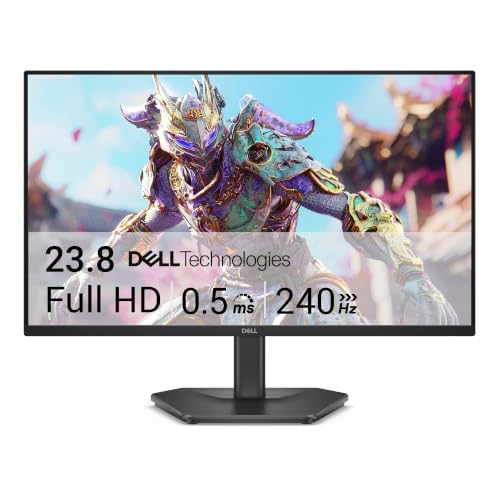
- Smooth motion: 240Hz refresh rate and fast 0.5ms response time provide crisp visuals and fluid movement with less input lag.
- Seamless gaming: FreeSync Premium and HDMI VRR eliminate tearing for smooth, responsive PC and console gameplay.
- Fast IPS: Faster 0.5ms response with excellent color accuracy across wide IPS viewing angles.
Why it wins: 240Hz on an IPS panel for less than most 165Hz monitors cost, from a maker that publishes real panel specifications instead of adjectives. IPS at that refresh rate used to be a premium combination, and the reason it matters is that the cheap route to 240Hz is a VA panel whose pixels cannot keep pace with the frames it is drawing.
Pros
- 240Hz on IPS rather than the usual budget VA
- Dell publishes full panel specifications for the model
- Two HDMI ports plus DisplayPort 1.4
- FreeSync Premium, so tearing is handled without extra cost
Cons
- 1080p across 27 inches looks coarse up close
- Tilt only, with no height adjustment on the stand
- Small review base so far, being a recent release
- Nothing above the panel itself: no speakers, no hub
Social proof: See rating and reviews on Amazon.
Trade-offs and who should skip: Frames bought cheaply, resolution given up to get them. Skip it if you work on the same screen you play on. Skip it if you sit close.
Scores: Performance 4/5 | Response spec stated 4/5 | Ease of use 3/5 | Value 5/5
Samsung Odyssey OLED G5 G50SF — Best response you can verify
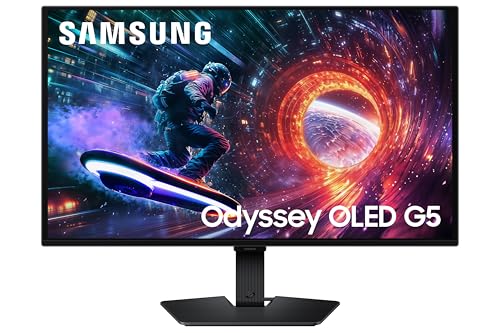
- Samsung’s 27” Odyssey OLED G5 QHD Gaming Monitor delivers hyper-real visuals and lightning-fast action.
- QD-OLED with QHD resolution provides unmatched picture quality and produces the highest levels of color accuracy and brightness.
- OLED Safeguard keeps the screen cool by actively helping to prevent burn-in with a Thermal Modulation System.
Why it wins: 0.03ms grey to grey on a QD-OLED panel, and that figure is real in a way none of the LCD claims are, because an OLED pixel emits its own light and switches on its own rather than twisting liquid crystal into place. This is what the response spec looks like when a maker has nothing to hide behind.
Pros
- Genuine sub-millisecond pixel response, not a backlight trick
- Per-pixel black rather than a dimmed backlight
- 1440p at 180Hz with G-Sync compatibility
Cons
- Costs more than twice the LCD picks here
- OLED still carries a static-image retention risk on a desktop
- Peak brightness in a sunlit room is below a good LCD
- Modest review base compared with the older panels
Social proof: See rating and reviews on Amazon.
Trade-offs and who should skip: The honest end of the spec sheet, at the price that honesty costs. Skip it if the screen shows a taskbar and spreadsheets all day. Skip it if the room is bright.
Scores: Performance 5/5 | Response spec stated 5/5 | Ease of use 4/5 | Value 3/5
SANSUI ES-G32C3F 32-Inch Curved 240Hz — Most reviewed, and it prints MPRT
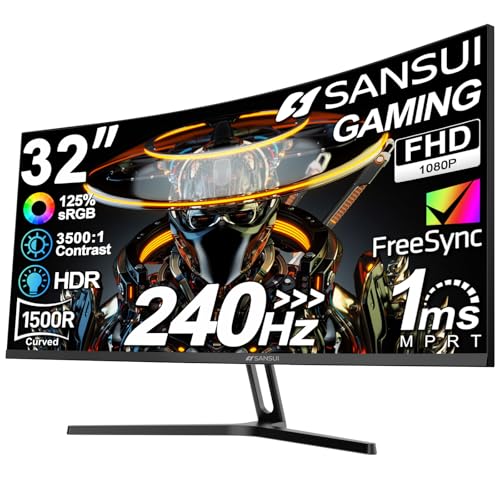
- 32 Inch curved 1500R gaming monitor, 240Hz high refresh rate for gameplay
- Performance: 240Hz refresh rate, Full HD 1920*1080P resolution, 1ms MPRT response time, Built-in FreeSync technology, Anti-flicker, Low blue light
- Interfaces: HDMI up to 240Hz, DP 1.4 up to 240Hz, Earphone Jack, No speakers built-in. One DP cable comes with the package
Why it wins: Thousands of ratings make this the most tested 240Hz panel in the search, and it earns its place here by saying MPRT in the title where most sellers would have written 1ms and stopped. Read that as the maker being straight with you rather than as a fault: you are getting a large curved VA screen with a strobed backlight, and now you know it.
Pros
- Largest owner base of any 240Hz monitor in this search
- States MPRT plainly instead of implying a pixel figure
- 32 inches curved for the price of a small flat panel
- VA contrast is far deeper than IPS in a dark room
Cons
- 1080p stretched across 32 inches is the lowest density here
- MPRT strobing costs brightness when it is switched on
- VA pixel response smears on dark transitions regardless of refresh rate
Social proof: See rating and reviews on Amazon.
Trade-offs and who should skip: A lot of screen, honestly labelled, at low density. Skip it if you care about sharpness. Skip it if you play anything with dark scenes and fast motion.
Scores: Performance 3/5 | Response spec stated 4/5 | Ease of use 4/5 | Value 4/5
Samsung Odyssey G5 G51F — Best value

- QHD Resolution (2560 x 1440) has 1.7 times the pixel density of Full HD for incredibly detailed pinsharp images
- HDR10 provides brighter highlights and nuanced shadow for added depth - making every scene feel more vivid and realistic
- The 180Hz refresh rate minimizes lag for gameplay with ultra-smooth action. Plus, the 1ms response time helps capture your moves in real-time, allowing you to react fast for gaming precision
Why it wins: 1440p at 180Hz for less than most 1080p panels cost, at the best average rating in this search, which is an unusually good place for a monitor to sit. It carries the extras that make daily use pleasant rather than merely fast: height adjustment, a black equalizer for dark corners of a map, and automatic input switching between a console and a PC.
Pros
- Best average rating of anything in this search
- 1440p at 180Hz for the price of a good 1080p screen
- Height adjustable stand, which the cheap panels omit
- Auto source switching between a console and a computer
Cons
- Response time is quoted as 1ms without saying which measurement
- 180Hz rather than the 240Hz on cheaper 1080p panels
- Newer release, so the review base is still building
Social proof: See rating and reviews on Amazon.
Trade-offs and who should skip: The most monitor for the money on this page. Skip it if frame rate matters more than resolution. Skip it if you want a long track record before you buy.
Scores: Performance 4/5 | Response spec stated 3/5 | Ease of use 5/5 | Value 5/5
Quick compare
- Best overall: Acer Nitro KG271U, 180Hz rather than 240
- Cheap 240Hz: Dell SE2726HG, 1080p on 27 inches
- Verified response: Samsung Odyssey OLED G5, dear and bright rooms hurt it
- Most reviewed: SANSUI 32 inch curved, MPRT and low density
- Best value: Samsung Odyssey G5 G51F, 180Hz rather than 240
Two things to settle before you order. Work out what your graphics card can actually deliver in the games you play, because a 240Hz monitor fed 90 frames a second is a 90Hz monitor with a larger sticker, and the money would have gone further on resolution. Then match the size to the resolution rather than to the desk: 1080p belongs on 24 inches, 1440p on 27, and anything larger than that at 1080p is asking you to sit further back than the desk allows. If a listing gives a response time without saying GtG or MPRT next to it, assume MPRT, because a maker with a good grey to grey number has every reason to print it.
As an Amazon Associate, I earn from qualifying purchases.